Say what you need.
Palsee does it.
A copilot that lives above your Dock. It sees your screen, clicks by itself, and finishes the longer work in the background — following the procedures your company keeps in Capture.
Beta · macOS 14+ · Apple silicon · English & Czech
“Find the invoice from Kancelář Plus and match it.”
- Showswhere to click
- Doesclicks by itself
- Learnsyour procedure
- In the backgroundby company SOP
Numbers from one real run on a demo app. No animation, no cuts.
Capture × Palsee
Capture writes down how your team does it.
Palsee · hands
Palsee does it that way.
- Matched to OBJ-2026-118 · 100 % match
- Duplicate: none found
- Waiting for approval: Jana Malá
- Approval report · PDF
Same family, opposite role. Capture turns a conversation with a colleague into a procedure. Palsee keeps it under Procedures and sticks to it — including the steps where it must stop and wait for a person.
One task, from voice to done
Scroll. Palsee works.
These are not mock-ups. Every frame is a real screenshot of Palsee 0.2 working on a demo app — your scrolling moves it along. (The app ran in Czech.)
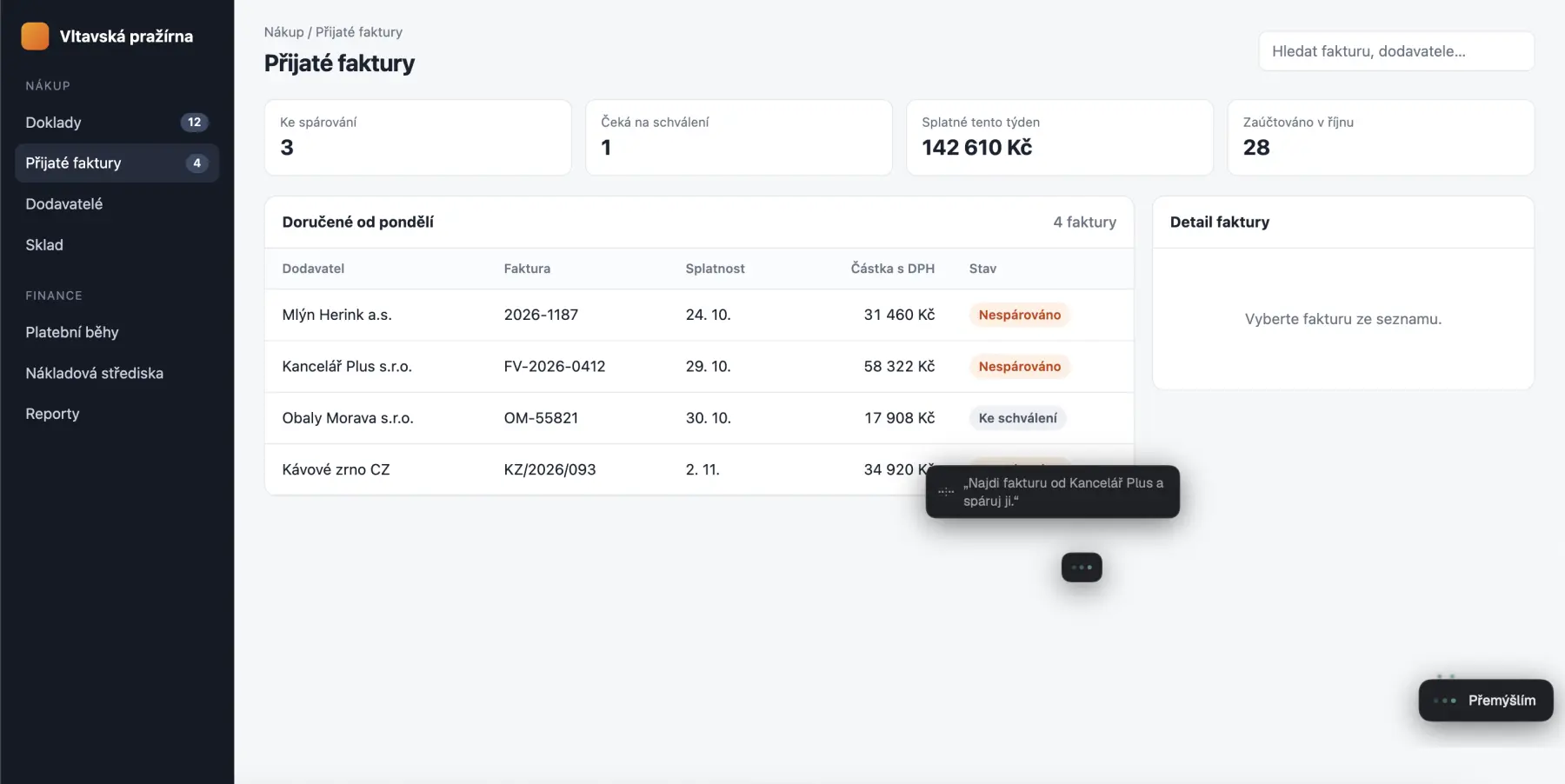
You say what you need.
Hold ⌃⌥ and talk. Palsee shows what it heard next to your cursor and gets going.
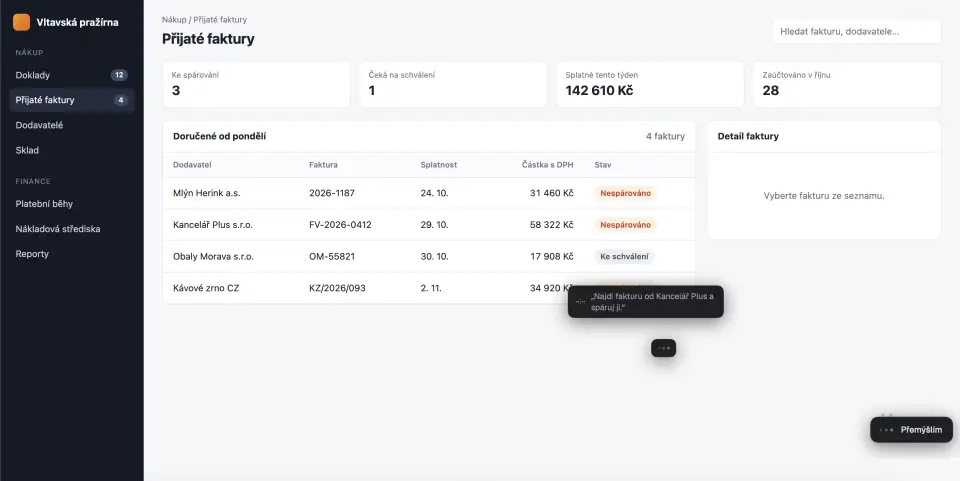
› 20:11:36 heard “Find the invoice from Kancelář Plus and match it.”
Palsee looks and points.
It reads the screen, finds the right row and says what it is doing next to the cursor: “Opening the Kancelář Plus invoice.”
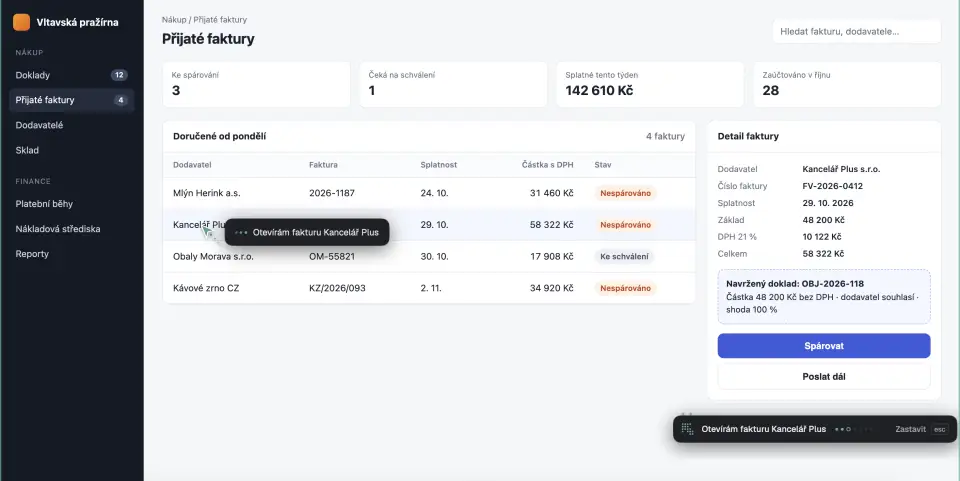
› 20:11:41 click “Kancelář Plus s.r.o.” ok · verified
It clicks by itself.
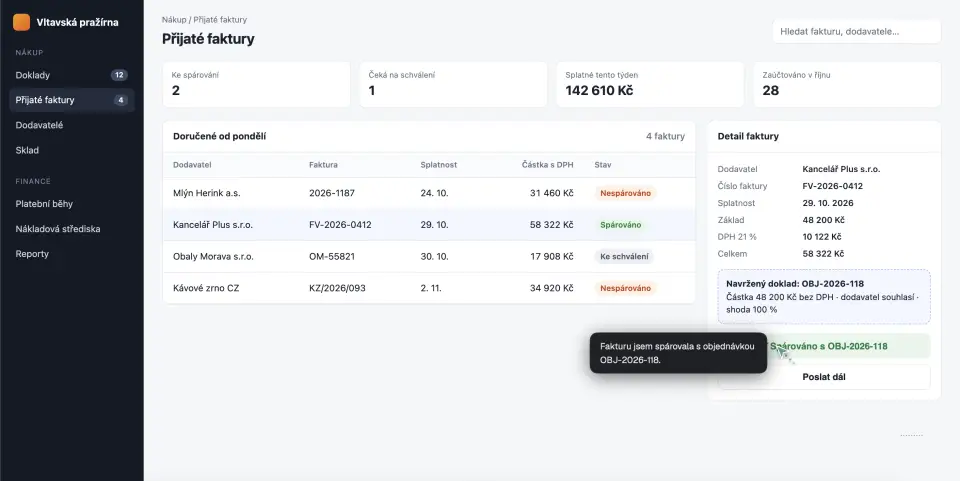
It checks the supplier and the amount and presses Match. No confirmation box — matching is a safe step. Payments and deleting are always yours to confirm.
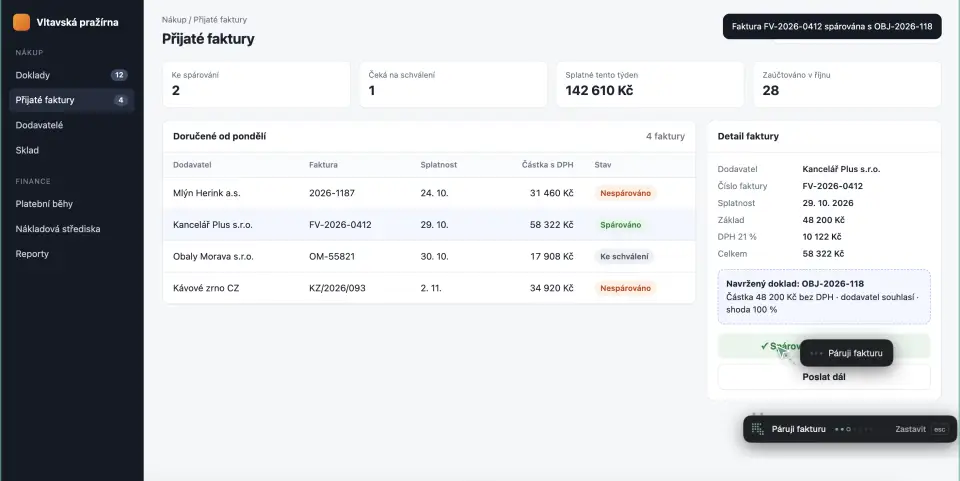
› 20:12:01 press “Spárovat” · 20:12:05 done · 30.0 s
By the company procedure.
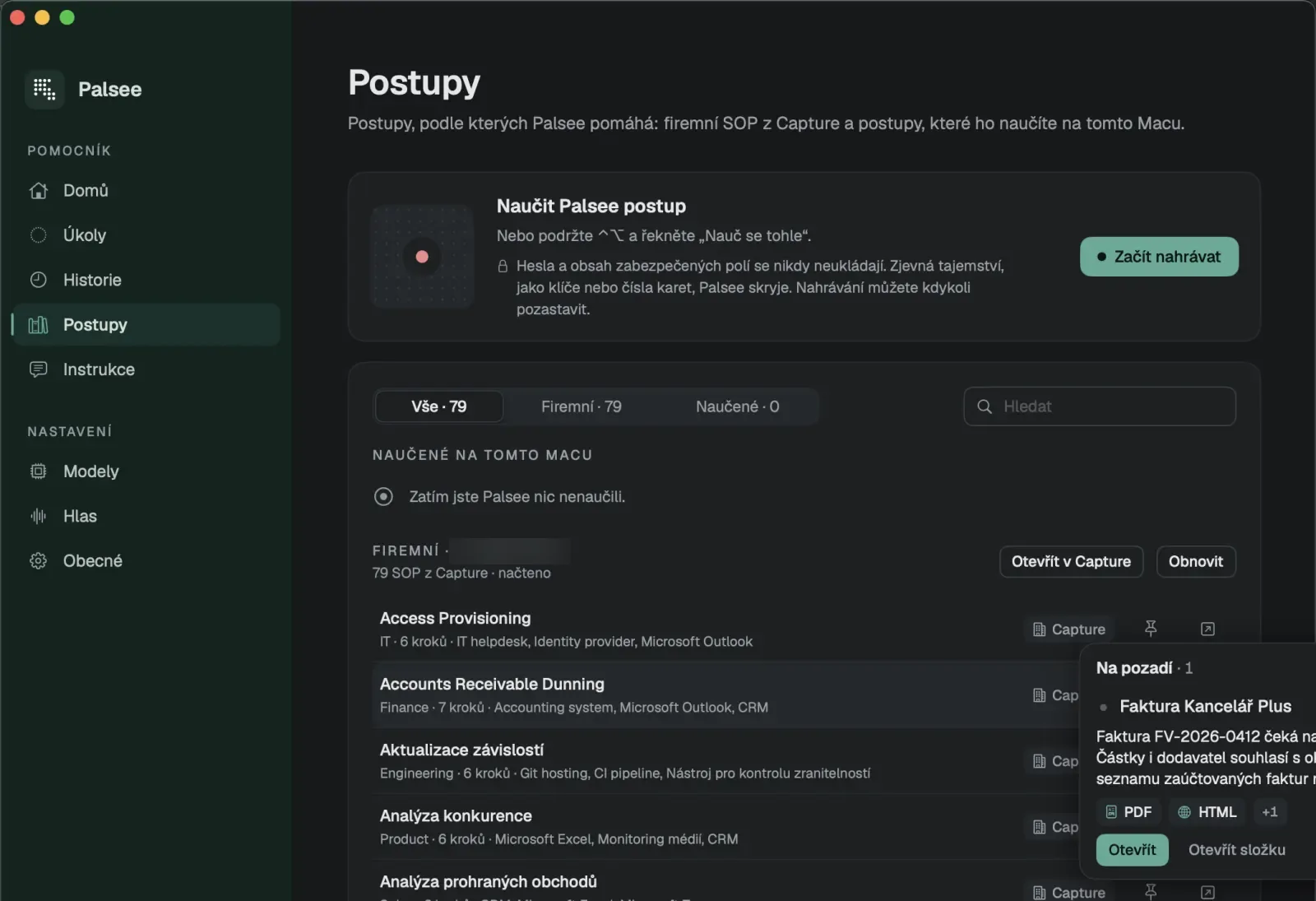
The second sentence goes to the background. Palsee takes the Processing received invoices procedure — one of the 79 your company keeps in Capture.
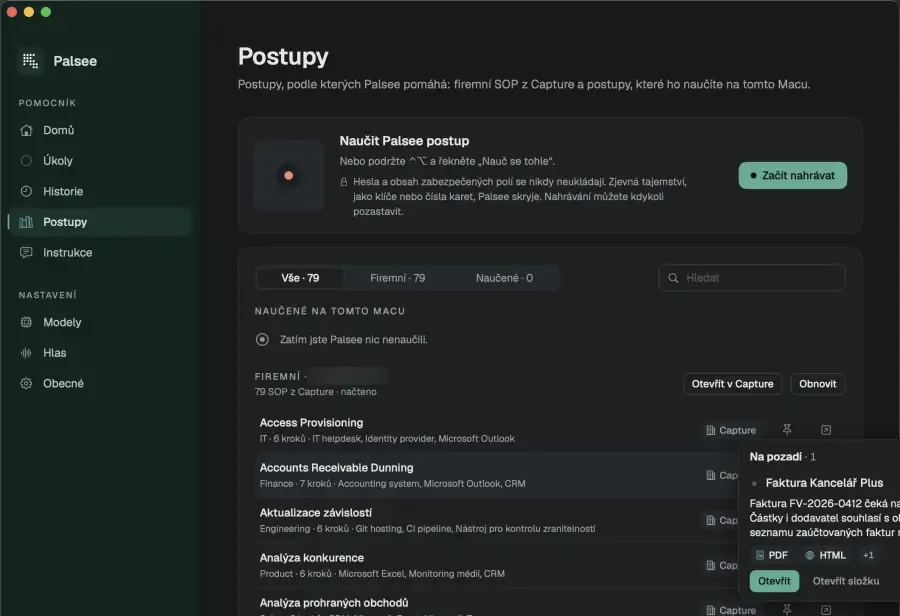
› 20:16:55 route background · explicit · 2 input files
It finishes in the background.
The pill grows a capsule: “Thinking about the next step…”. You keep doing something else. Click it to peek.
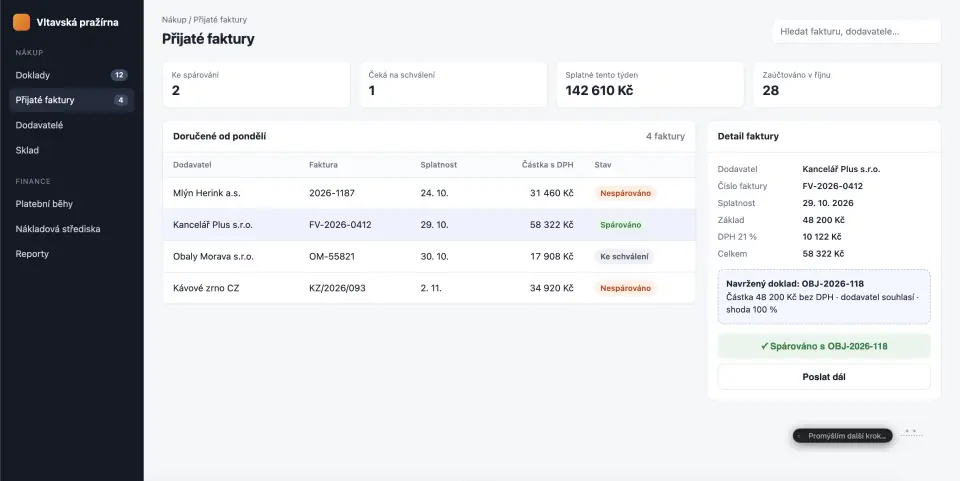
› 20:16:55 task running · duplicate check · approver
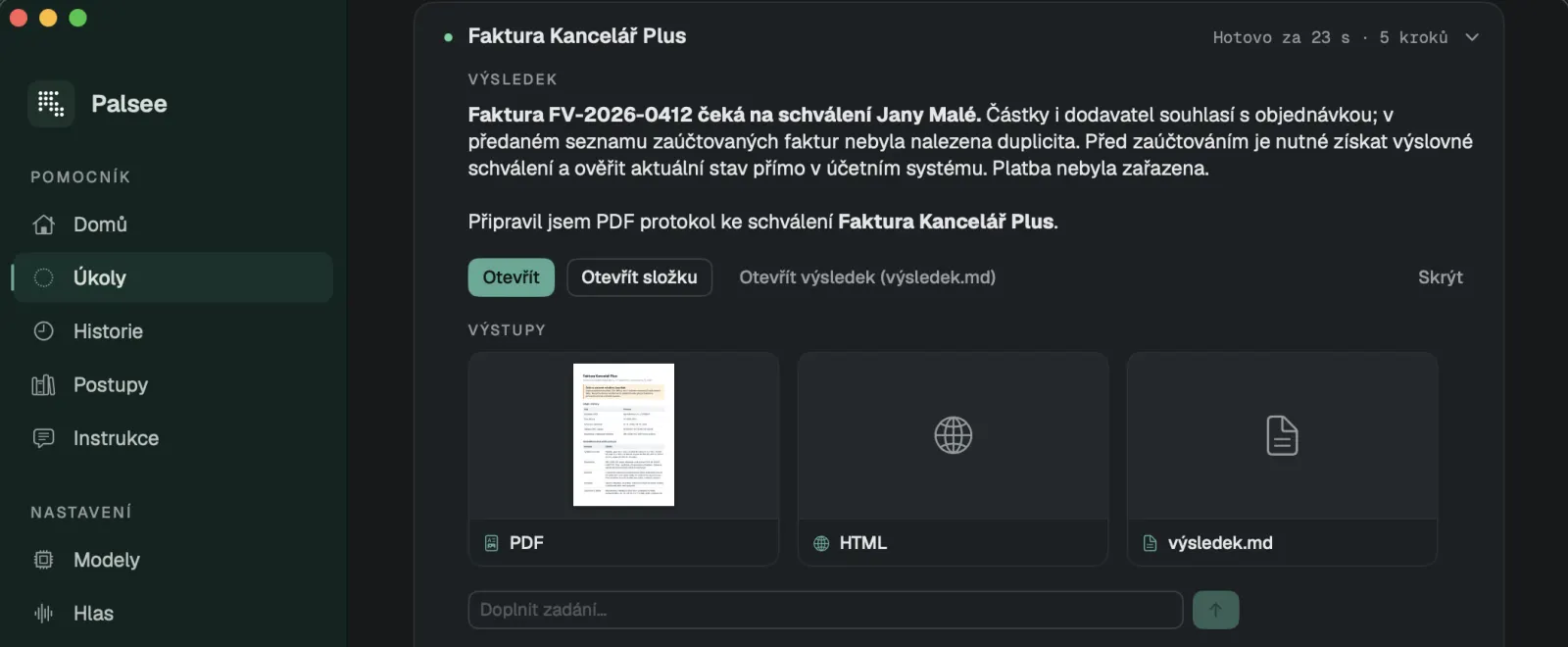
Done.
“Done · Kancelář Plus invoice.” The invoice waits for Jana Malá's approval, no duplicate found, the PDF report is in Tasks. And it did not add it to a payment run — the procedure says wait.
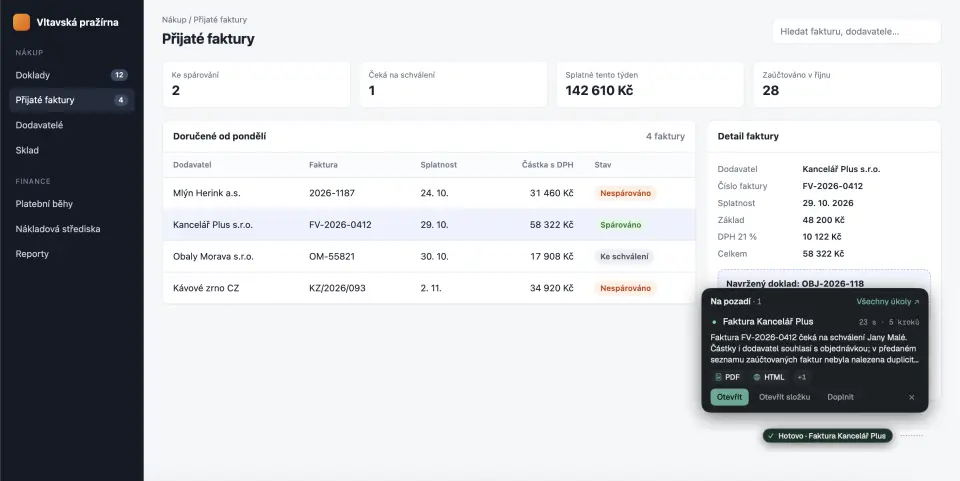
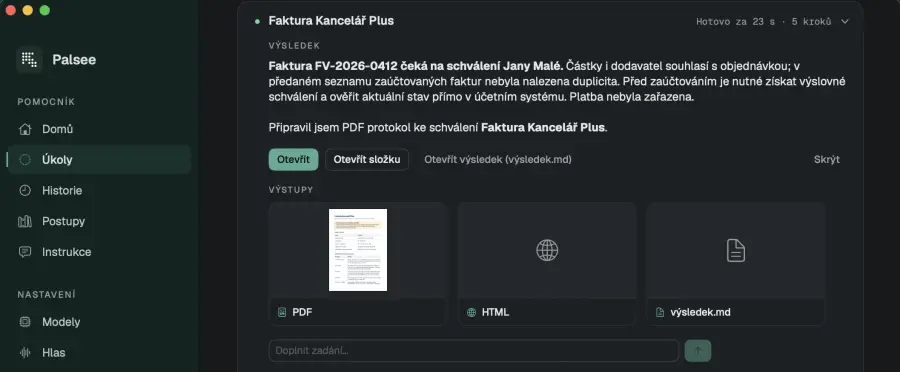
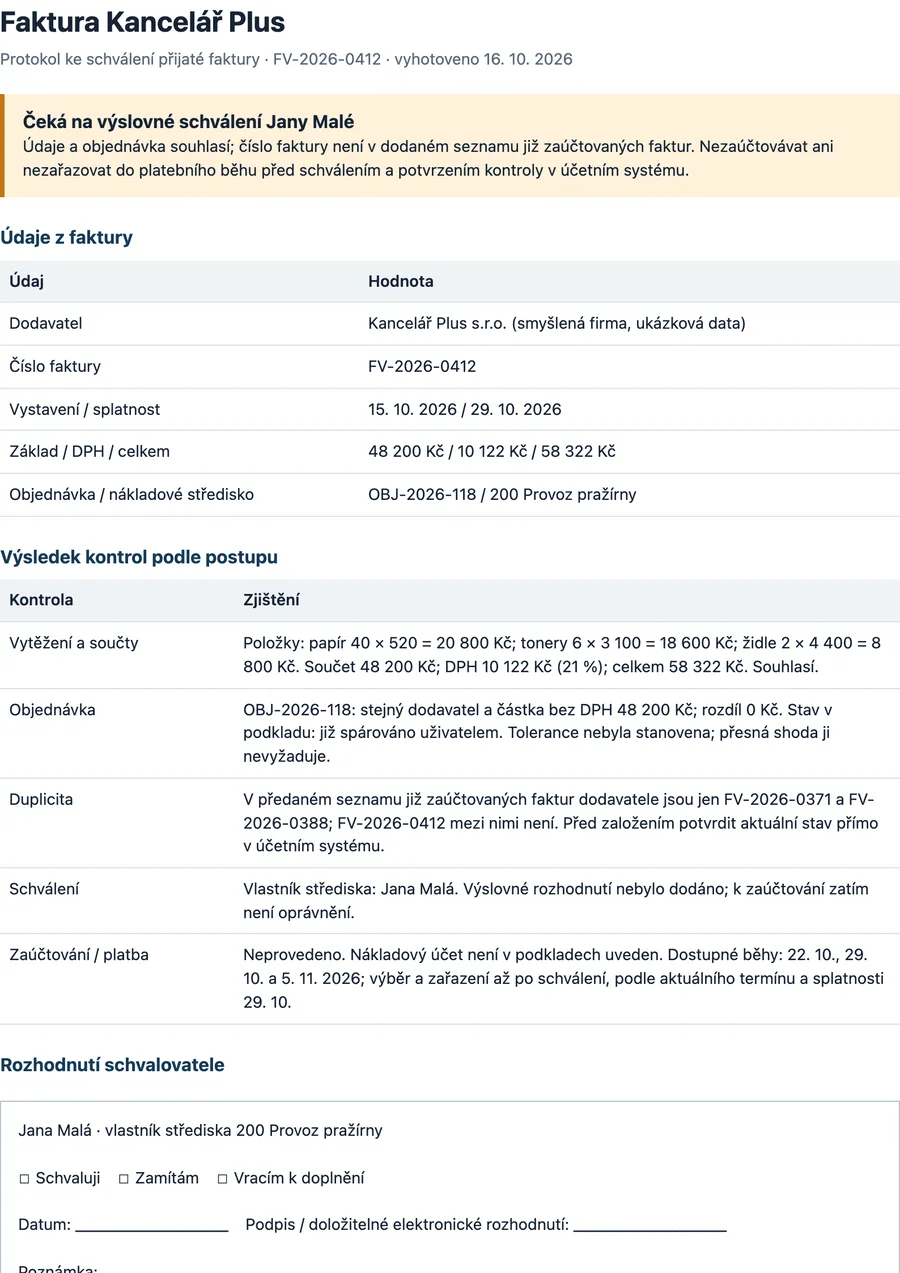
› 20:17:18 task done · 23 s · 5 steps · PDF, HTML, result.md
Shows.
Circles where to click and says why. Show mode never clicks.
Does.
Clicks and types. One switch decides how much it does on its own.
Draws.
A formula, a chart or a diagram — on a dotted board, step by step.
Builds.
Writes code in the background and hands back an app, chart, PDF or XLSX.
Learns.
Show it once and talk while you do. It writes the procedure down.
Waits.
Where a person must decide, it stops and asks. Saying “yes” is enough.
Privacy & safety
Your screen
stays yours.
- 01
Sees only when you ask
You hold ⌃⌥ or type. Between requests it sees nothing and records nothing.
- 02
Screenshots don't stick around
They go to your chosen model only, marked not to be stored. You can switch them off entirely.
- 03
Local model
LM Studio, Ollama or your company's vLLM. Then nothing leaves.
- 04
Payments are always yours
Payments, deleting, and sending messages you didn't ask for.
- 05
Tasks in isolation
Background code runs in a sandbox with no network and limits on steps, time and tokens.
- 06
No passwords in procedures
Obvious secrets are hidden before a procedure is saved.
Esc stops anything. Always. Try it:
Full privacy notesPricing
Start free.
Pay when it clicks for you.
Per user per month, excl. VAT. Grid free for 14 days, no card.
For macOS 14+ · Apple silicon · not on Windows or iPhone yet
Dot
To try it and for the odd question.
CZK 0
/ user / month
- 20 tasks a day
- Show only — never clicks
- Fast model
- Procedures stay on your Mac
Line
For everyday work.
CZK 500
/ user / month
- 150 tasks a day
- Auto, Agent and Show
- Background tasks
- Company procedures from Capture
Grid
All the hands you need.
CZK 2,000
/ user / month
- 600 tasks a day
- All models + a planning model
- Priority processing
- Procedures stay after the trial
Create your account on the web, then download Palsee to your Mac. No card.
Team · Enterprise · Let's talk
From 1,000 tasks a day per person. Your own or a local model, team admin, contract and invoicing.
CZK 2,500per month in total
FAQ
What people ask.
Are the screenshots on this page really from the app?
Yes. The “match the invoice” demo and the background task ran on 16 Oct 2026 on Palsee 0.2, on a demo app of a fictional roastery; the supplier Kancelář Plus is fictional too. We entered the requests the same way voice is routed, just without a microphone. The frames are only cropped. The Processing received invoices procedure is a real company procedure from Capture.
What exactly does Palsee see?
Only what's on screen at the moment you ask (holding ⌃⌥ or typing). The screenshot goes to your chosen model and isn't kept. Between requests it sees nothing.
What if it makes a mistake?
Esc stops it at any time, and touching the mouse is enough. Payments and deleting are always confirmed by you. For full certainty, switch on Show mode — then Palsee never clicks.
How does Palsee get our company procedures?
You sign in with your Capture account. Your organisation's procedures load into Procedures, and Palsee uses them when they fit the task — or when you ask for a specific one.
Can I use my own or a local model?
Yes. A model on your Mac (LM Studio, Ollama) or on a company server (vLLM, SGLang). Cloud models are the default.
Why does macOS say the app can't be verified?
The beta isn't notarised by Apple yet. Since macOS 15, right-click → Open no longer gets around it: try to open Palsee, then in System Settings → Privacy & Security click “Open Anyway” and confirm with your password. The Download page has the full guide with a picture. Version 1.0 will be signed and notarised.
Does it work on Windows or iPhone?
Not yet. Palsee is for Macs with Apple silicon and macOS 14 or later.
What happens after the trial?
After 14 days of Grid you move to the free Dot plan unless you pick another. The procedures you taught it stay.
There's a free spot
in your Dock.
It's on your Mac in a minute. Then hold ⌃⌥ and say what you need.
Beta · macOS 14+ · free
By downloading you agree to the Terms of Use and the Privacy Policy. · Install in three steps